MQTT Broker
The MQTT Broker settings configure the Intelligence Hub’s built-in MQTT broker, including authentication and endpoint configuration.
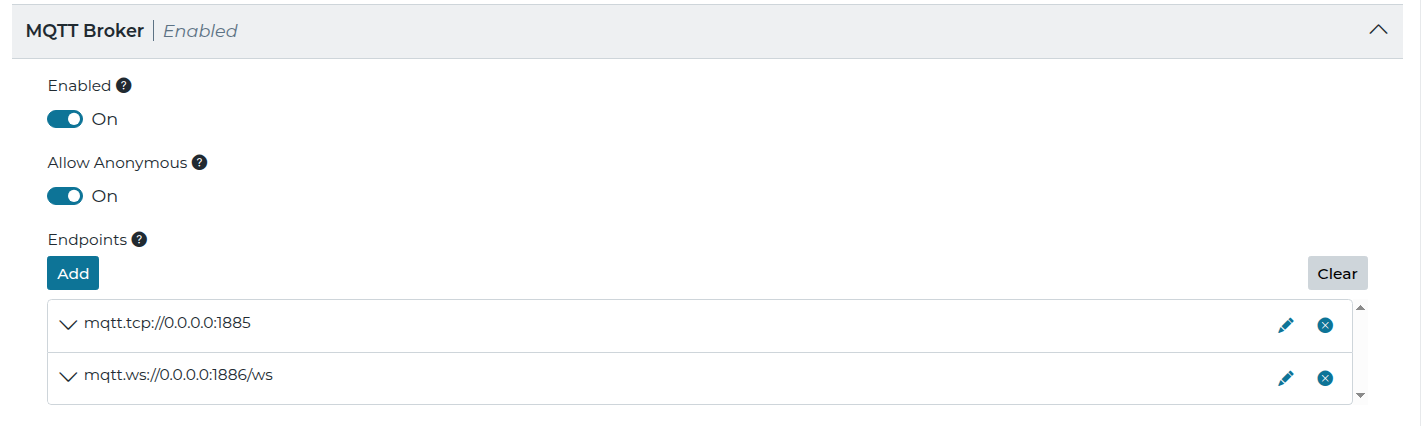
| Setting | JSON Property | Description |
|---|---|---|
| Enabled | settings.hbMqttBroker.enabled | Enables the Intelligence Hub MQTT Broker. |
| Allow Anonymous | settings.hbMqttBroker.allowAnonymous | When false MQTT clients are required to specify a username and password to authenticate with the broker. In order for a user to access the broker the following claims are required:
The default administrator user is not supported. See Create a User for details on creating a user with broker access. |
| Endpoints | settings.hbMqttBroker.endpoints | An array of one or more endpoints hosted by the broker. The endpoints have the following settings. |
| Hostname | settings.hbMqttBroker.endpoints[].hostname | The hostname the endpoint binds to. By default this is 0.0.0.0, which binds to all endpoints. |
| Port | settings.hbMqttBroker.endpoints[].port | The port the endpoint binds to. By default this is 1885. |
| Use SSL | settings.hbMqttBroker.endpoints[].useSSL | Enables secure communication (SSL) for the endpoint. |
| Certificate Key Alias | settings.hbMqttBroker.endpoints[].certificateKeyAlias | When SSL is enabled, this specifies the alias name for the key in the keystore to use for encryption. The public key must be trusted by the MQTT client. |
| Protocol | settings.hbMqttBroker.endpoints[].protocol | The protocol used by the endpoint. The following options are available.
|