Read
The Read Stage can be used to easily read a single source. For more complex read operations, use the Merge Read Stage .
The Read Stage uses a Reference as it’s source, for more information on using References see: References
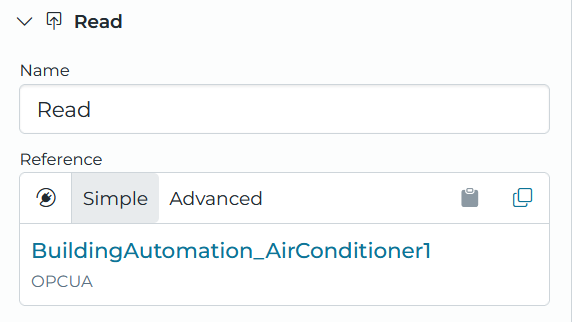
Reference Parameters
If a reference that supports parameters is used in this stage the parameters can be dynamically driven using the incoming event with the following syntax: {{event.value}}
This syntax can be combined with static values, for instance index_{{event.metadata.breakupIndex}} if the breakup index was “10”, this would result in “index_10”.
For more information on using the event variable see:
Using Transform Expressions
(Note that event is the only variable is accessible from this stage)
Path
An optional “Path” can be set on the Read Stage to index in to the value returned by the read, for instance [0] for the first element of an array, or .temperature for a property. When left blank, the full read value is returned.
If the read produces Good No Data, or the value at the Path is empty, the event resolves to Good No Data. See Handle No Data for how the stage routes that result. If the Path can’t be resolved against the read value, the Read Stage fails.
Success / Failure
The Read Stage provides alternative paths for successful and failed reads. This allows for pipelines to have special handling for read failures.
A failed read occurs if the source fails to read, and a single event is sent to the Failure path. The event includes the original event being read, as well as a readResults metadata
value that contains the status of the read. The metadata looks as follows:
{
    reference: string   // the source reference name
    quality: string     // good or bad for success/failure
    reason: string      // the error message for the failed read
}
If the Failure path is not connected, the stage produces an error. If the source is successfully read, the event takes the Success path.
Handle No Data
A read can succeed without returning a value. By default, when the read resolves to Good No Data the stage stops the pipeline without producing an error, and no downstream stages run.
Enable the Handle No Data setting to expose the No Data path. When the setting is enabled and the No Data path is connected, a Good No Data read sends an event down the No Data path instead of stopping the pipeline. The event carries the value that entered the Read Stage, not the read value, so downstream stages can act on the original event when the source has nothing to report.
If Handle No Data is disabled, or it is enabled but the No Data path is not connected, the stage stops the pipeline as described above. Disabling the setting hides the No Data path and removes any link drawn from it.