Inputs
An Input represents a readable path to a data point on a Connection. This section covers general settings and configuration across all Inputs. See Connections for protocol specific settings.
Create an Input
The Modeling Agent can browse a connection and propose Inputs for the data points you describe, which is often faster than importing them one branch at a time. To create an input by hand, follow the steps below.
- Navigate to Connections in the configuration’s Main Menu and select a connection. Inside the selected connection navigate to the Inputs menu item. Here you can add, edit, and view inputs.
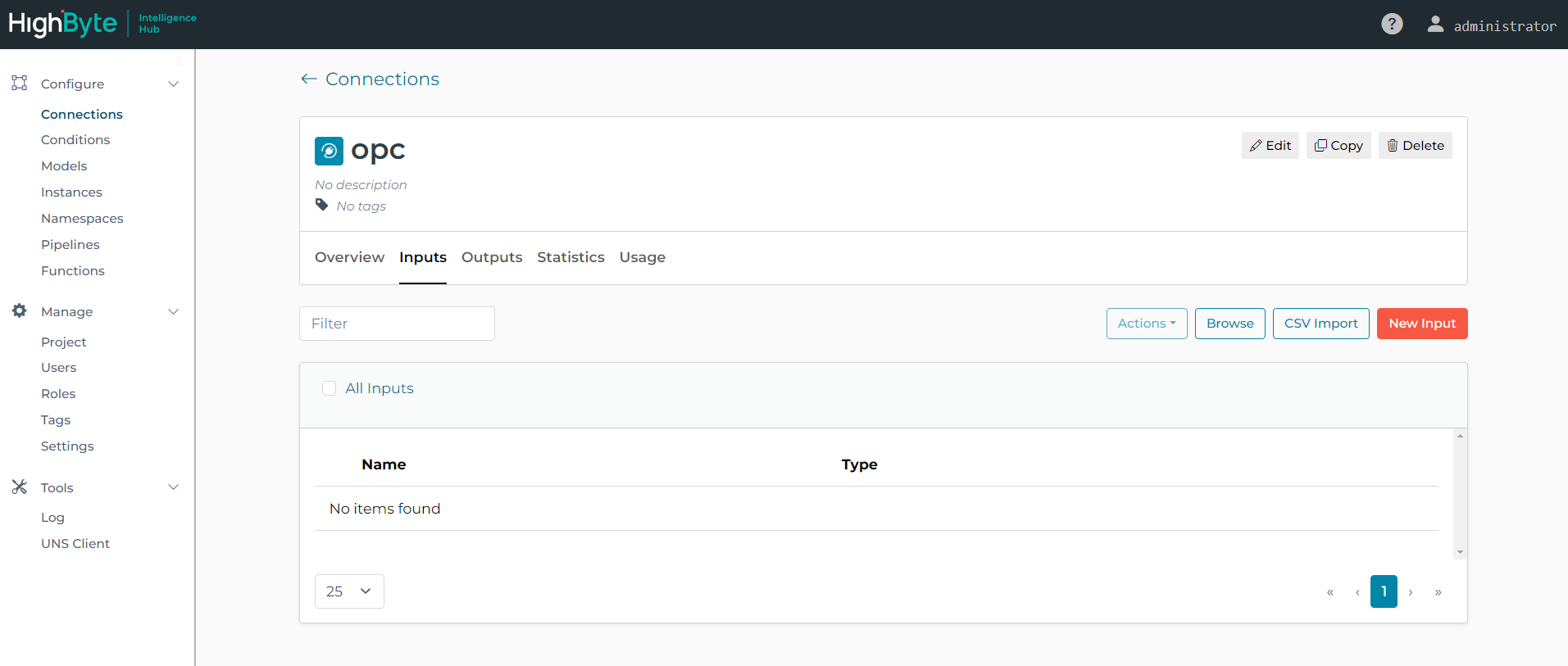
Depending on the type of connection you may be able to Browse and import one or more Inputs (e.g., OPC UA). Alternatively, you can click the New Input to manually configure an input.
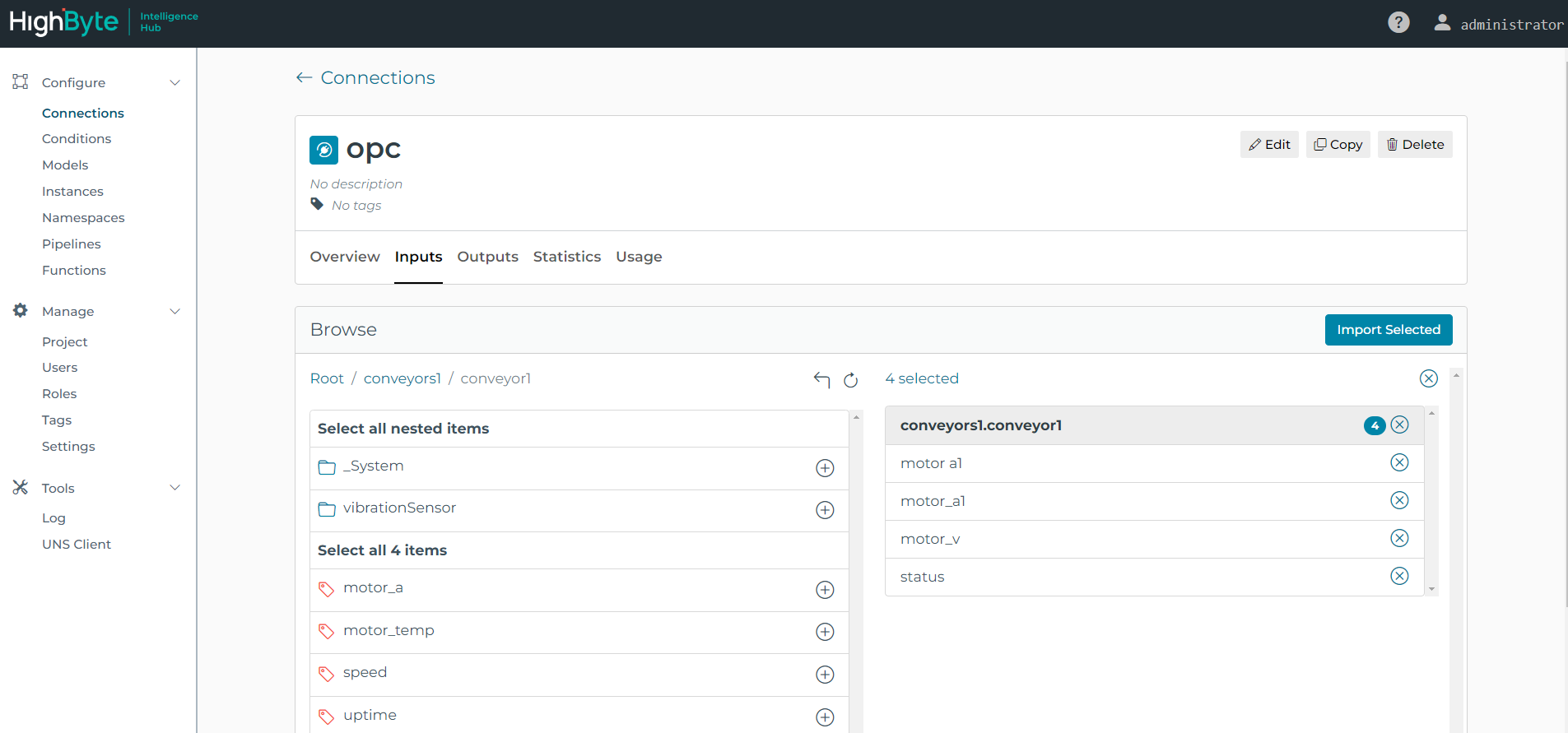
- Click the Browse button to View and Select the desired inputs. When finished, click the Import Selected button.
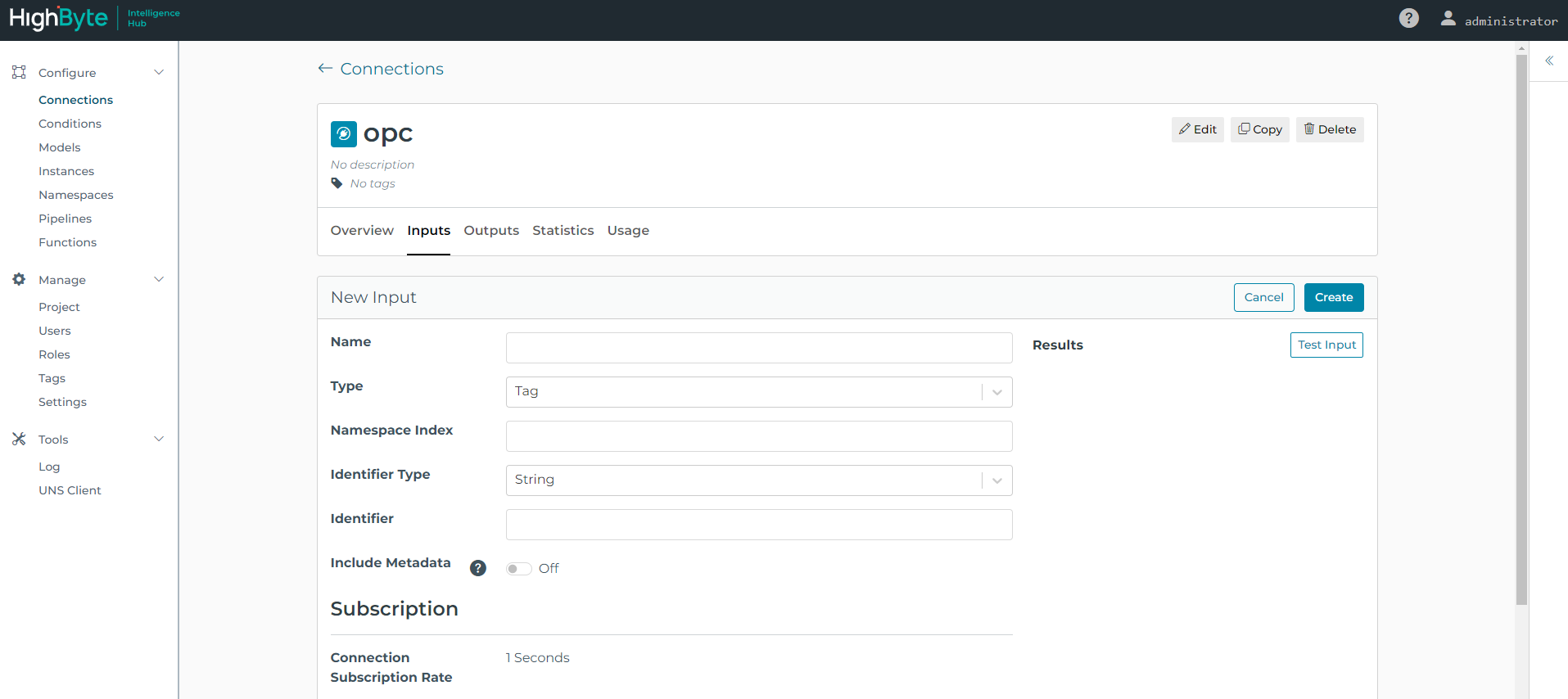
- Click the New Input button to manually configure an input.
- Click the Browse button to View and Select the desired inputs. When finished, click the Import Selected button.
Set any General and Protocol Specific Settings. Click Submit to add the input and return to the input list. General Settings are described below.
All inputs have the following general settings
General Settings
Name
Specifies the name of the input. The name must be unique across all inputs for the specified connection. Names can only contain alphanumeric and underscore characters (e.g., A-Z, a-z, 0-9 or _).
Cache
When enabled, specifies how long the input’s value is cached and reused internally after a successful read from the underlying connection. Once the cached value’s lifetime expires, the cache is invalidated and a new read is issued to the underlying connection. The lifetime interval is specified in milliseconds, seconds, minutes, hours, or days. Valid range is between 10 milliseconds and 36 days. Note: The cached value and its lifetime is persisted to disk and used across product runs until the value expires.
Parameters
Input parameters provide a way to make generalized inputs that can return different data when called. For example a SQL input can take a workOrderID parameter to return the information for a specific work order.
Please refer to the Parameters for details.
Dynamic Overrides
Parameters can be used directly inside string qualifier fields with {{this.paramName}} (see
Templating
above). Dynamic Overrides extend this to qualifier fields that don’t accept inline {{}} expressions, such as selector fields, numeric fields, boolean fields, etc.
Under Advanced on the input’s details page, add one or more overrides. Each override has:
- Path: a dot-delimited path to the field in the qualifier to override, for example
identifier.identifierType. - Reference: a parameter reference in the form
{{this.paramName}}.
The target field must already have a value before it can be overridden, and the resolved value is cast to match that field’s existing type.
For example, an OPC UA input with type and id parameters that switch its node identifier between a numeric and a string identifier:
{
  "qualifier": {
    "identifier": {
      "identifierType": "{{this.type}}",
      "value": "{{this.id}}"
    }
  },
  "referenceMap": [
    { "path": "identifier.identifierType", "reference": "{{this.type}}" },
    { "path": "identifier.value", "reference": "{{this.id}}" }
  ]
}
Templating
Input templates help reduce configuration when many inputs have similar settings with only minor differences.
An example of this is an OPC UA server that has tag groupings that represent motors where each is represented by multiple tags whose address only differs by a motorID. In this case, a single OPC UA Input can be created with a parameter (motorID) with an appropriate value range to create multiple inputs.
Please refer to the Templating for details.
Input Indexing
Some inputs support indexing to read historical data. For example, indexing can be used with SQL reads to only read new records from a table. Indexing is setup in the Connection specific input settings, but the current value of an Index can be viewed or cleared under the Index menu for the input.
Test Reads
All inputs support test reads using the “Read Input” button. Test reads perform a read using the current input settings, and return a result in JSON format. Test reads do not impact index caching, time out after 60 seconds. Reads greater than 256KB are truncated and a partial result is returned.
Dynamic References
Inputs can reference other Inputs or Instances in their configuration. An example of this is a SQL input that references a machineID from an OPC UA input to pull maintenance data for the machine. The syntax for referencing another input is as follows. When this input is read, the referenced input is read first and the result is inserted into the query. If the referenced input read fails, the input read will also fail. Dynamic references are not supported on all input fields. Support is specific to each connection type.
SELECT * FROM machineTable WHERE machineID={{Connection.opc.machineIDTag}}
Protocol Specific Settings
See Connections for Protocol Specific Settings.