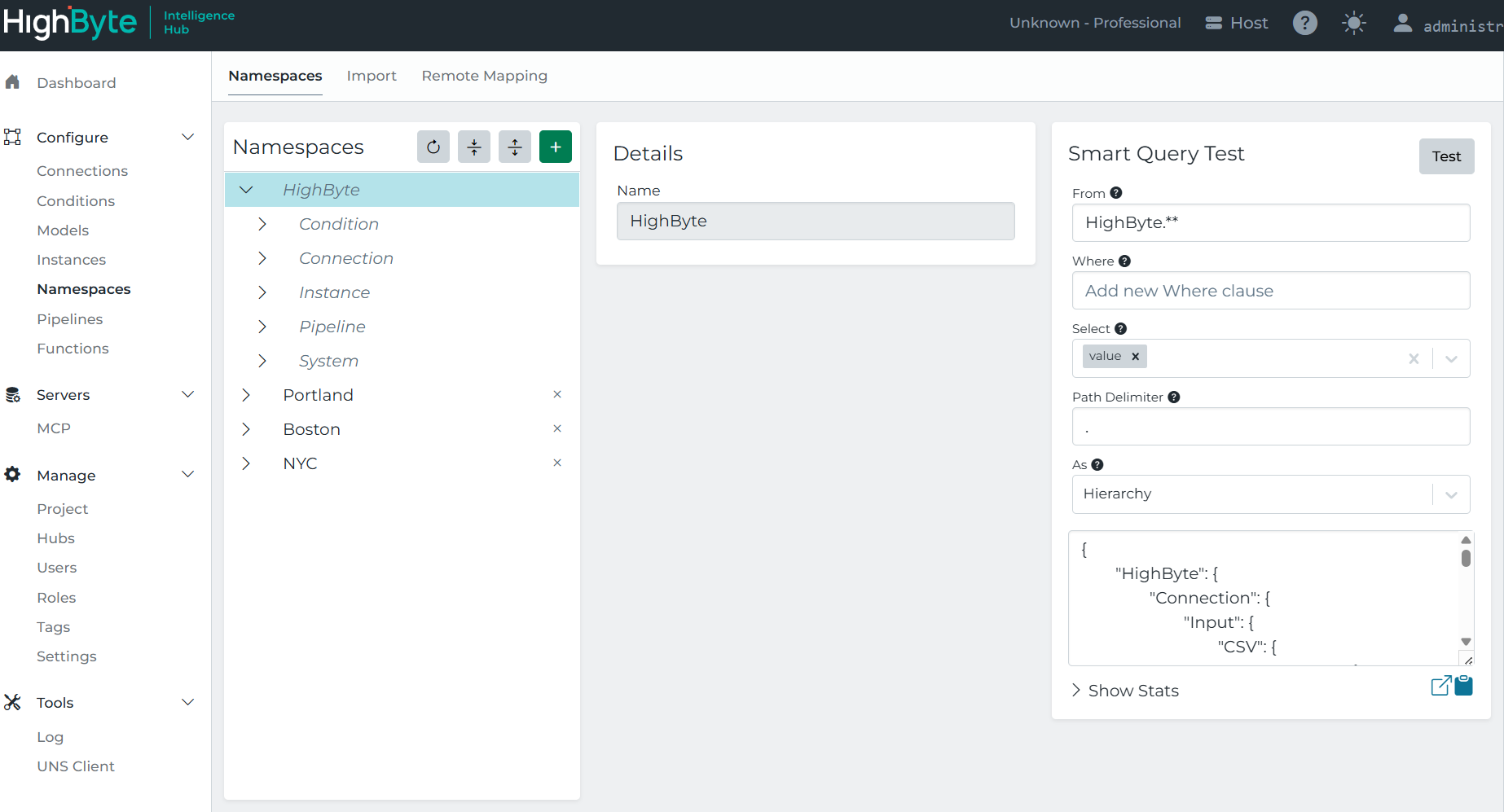
Remote Mapping
The Remote Mapping tab in Namespaces provides access to the namespaces of connected remote hubs that have Central Data enabled. Use this page to browse remote namespaces and selectively import nodes into the central hub.
Pre-requisites: For more information on configuring remote connectivity, see Central Hub Setup.
Map a Remote Namespace to Central
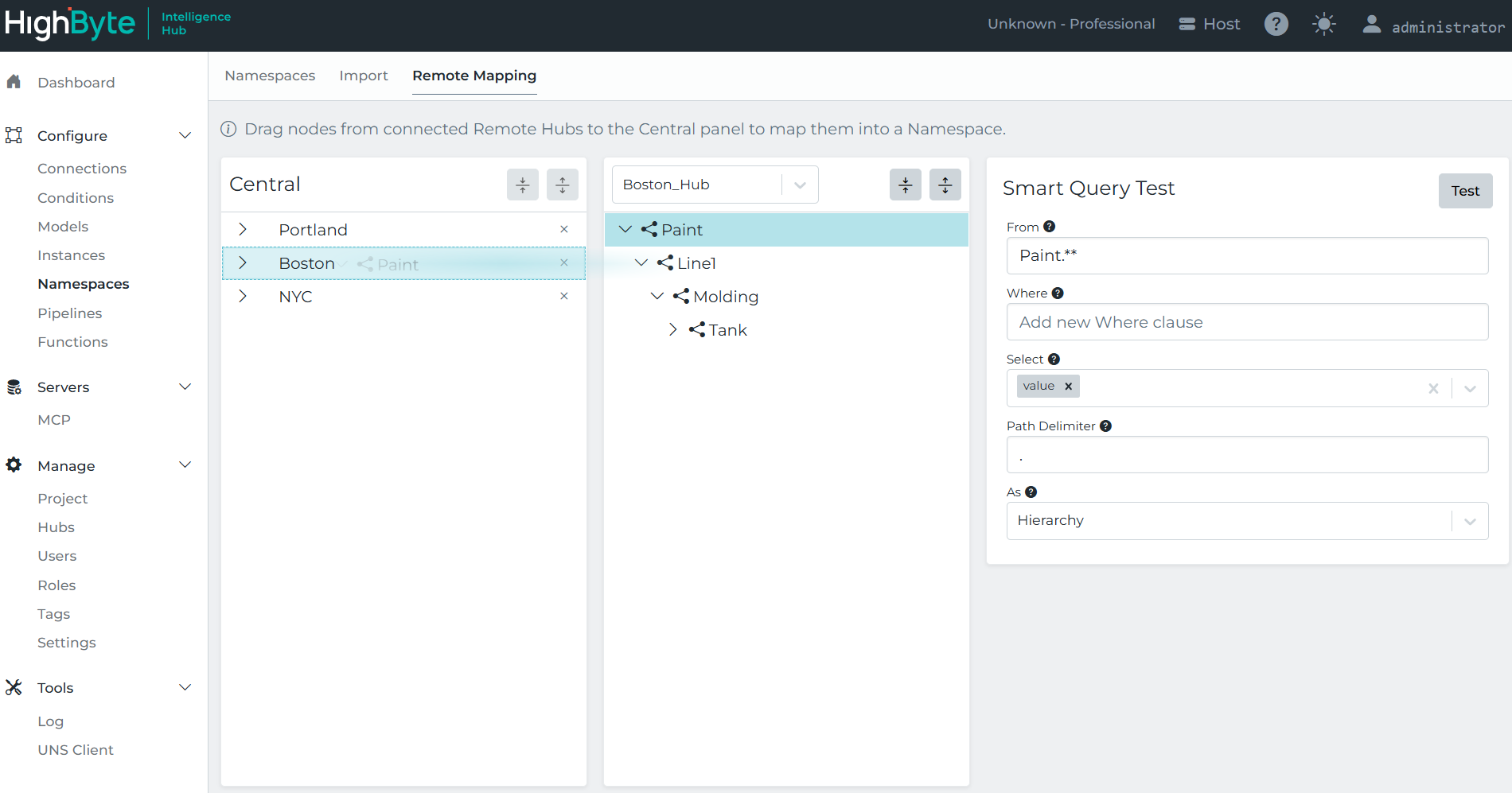
Use the Remote Mapping tab to import specific nodes from a remote hub into the central hub’s namespace:
- Select a remote hub from the list of connected hubs. Remote hubs must be actively connected to the central hub through a Network Group with Central Data enabled.
- Browse the remote hub’s namespace. When successfully connected, the remote hub’s namespace is available to browse, and you can run Smart Queries against any of its nodes.
- Drag and drop the selected node from Remote to Central to import it.
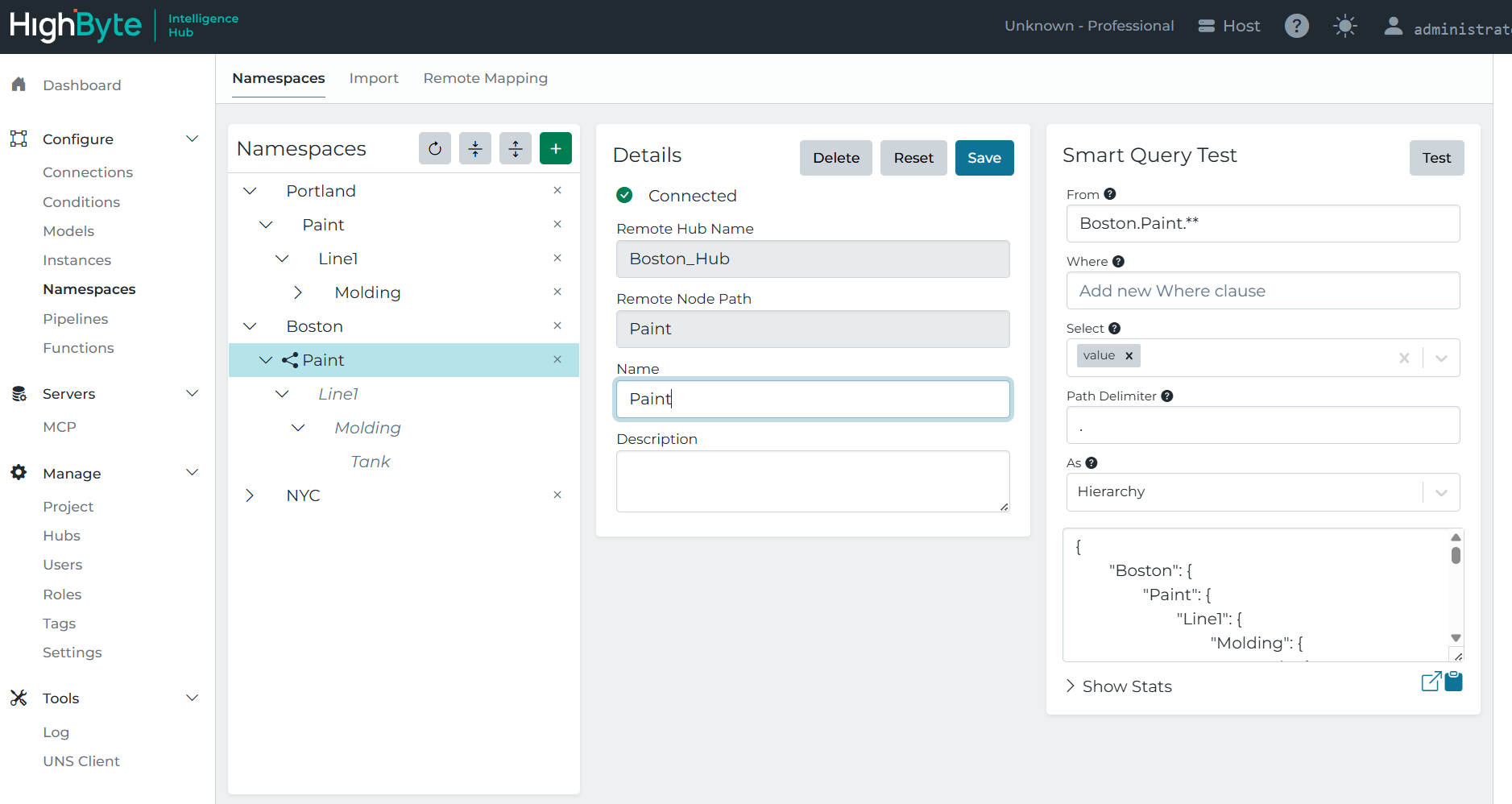
After importing the node, returning to the main Namespaces tab shows the remote hub content in the context of the central hub’s namespace. The remote hub’s root namespace name can be edited (re-aliased), other nodes are read-only.
Remote Metadata
Metadata configured on the remote hub’s nodes comes across with the mapping and is read-only on the central hub. It is resolved from the remote hub when the namespace is browsed, so tags changed on the remote hub are picked up on central. If the remote hub cannot be reached, central falls back to the metadata last stored in its own configuration.
This makes it possible to run a single smart query on the central hub that selects nodes by tag across every mapped remote hub, regardless of where those nodes sit in each hub’s hierarchy.
HighByte Default Namespace
By default, the HighByte namespace is enabled on the Intelligence Hub. The HighByte namespace exposes project configuration, including Connections and Inputs, Conditions, Instances, Pipelines, and System data, making it easier to work with remote data via Central Data and Remote Mapping.
The HighByte namespace can be enabled or disabled under Application Settings.