Import
Jump to Section
Instance import can be used to quickly import third-party instance definitions into the Intelligence Hub.
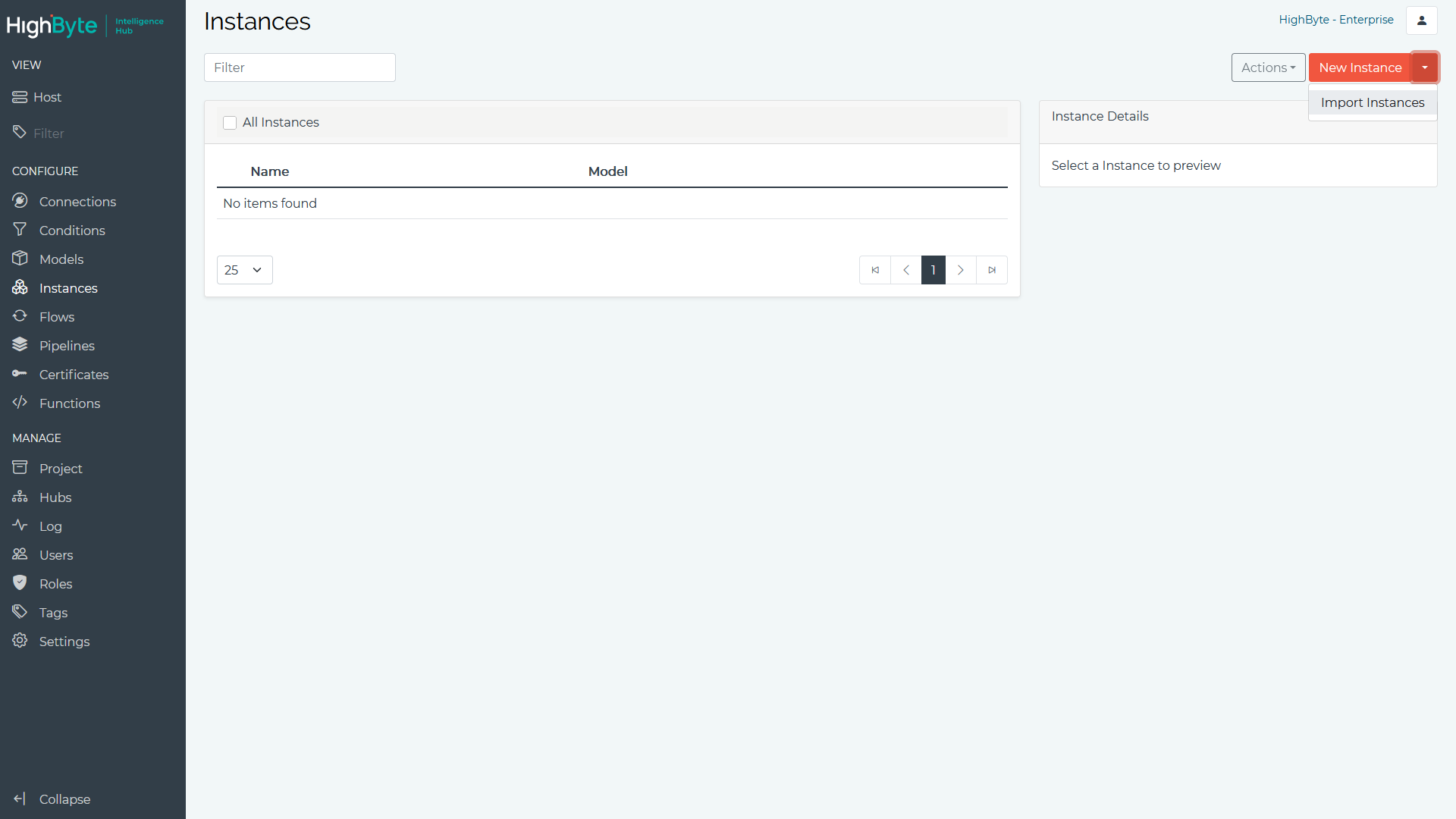
- Navigate to Instances in the configuration’s Main Menu and use the drop down menu next to New Instance to select the Import Instances option.
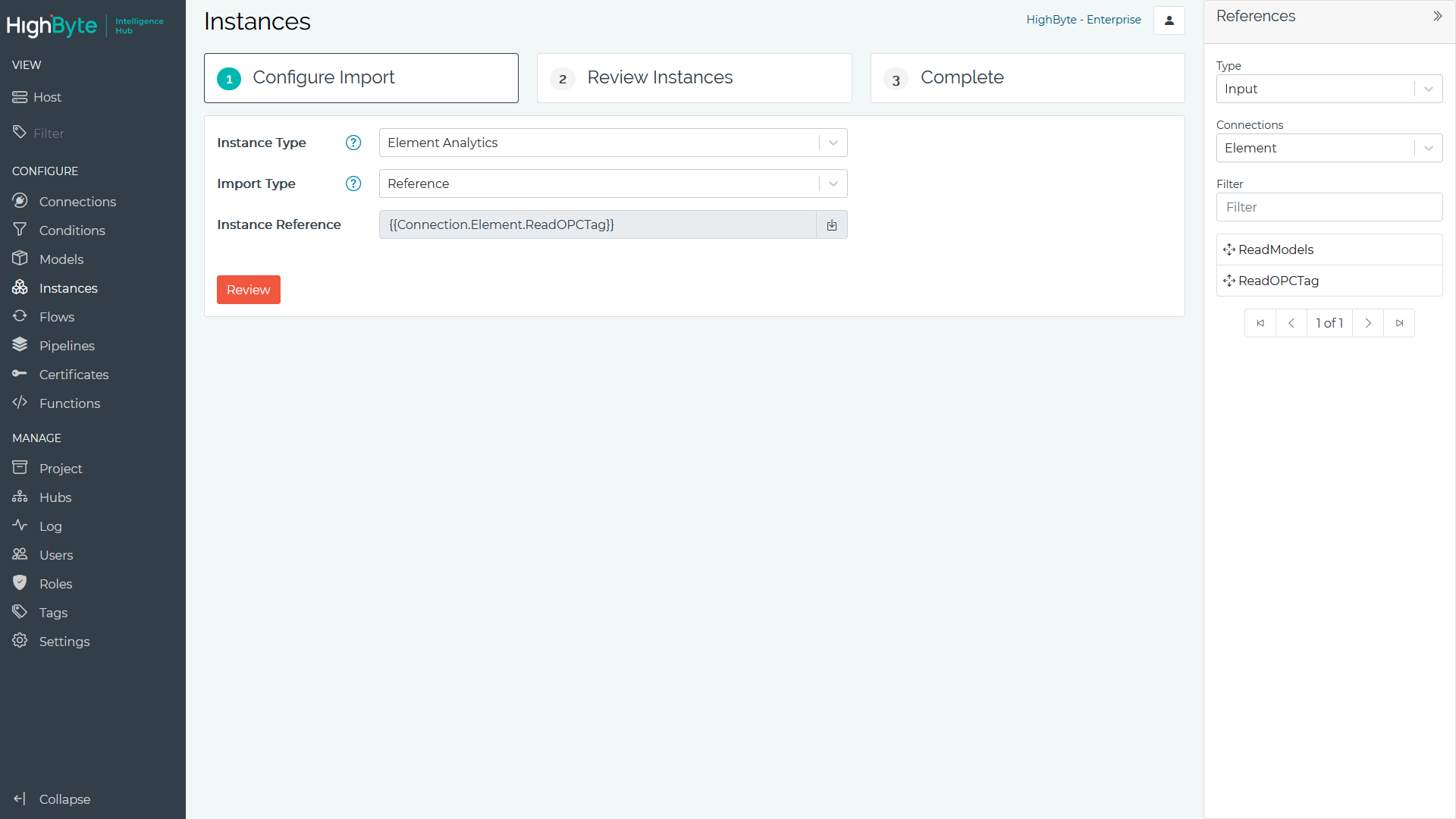
The Instance Type specifies the external instance definition type. Currently Element Analytics is supported.
The Import Type specifies the method used to import the definition. If JSON is selected, a JSON payload containing the instance definitions must be copied in. If Reference is selected, a source that can be produce a instance definition when evaluated must be specified.
- After providing the instance definition, click Review. On the Review tab, users can review the converted instance definitions and cherry pick a subset of instances to import into the project.
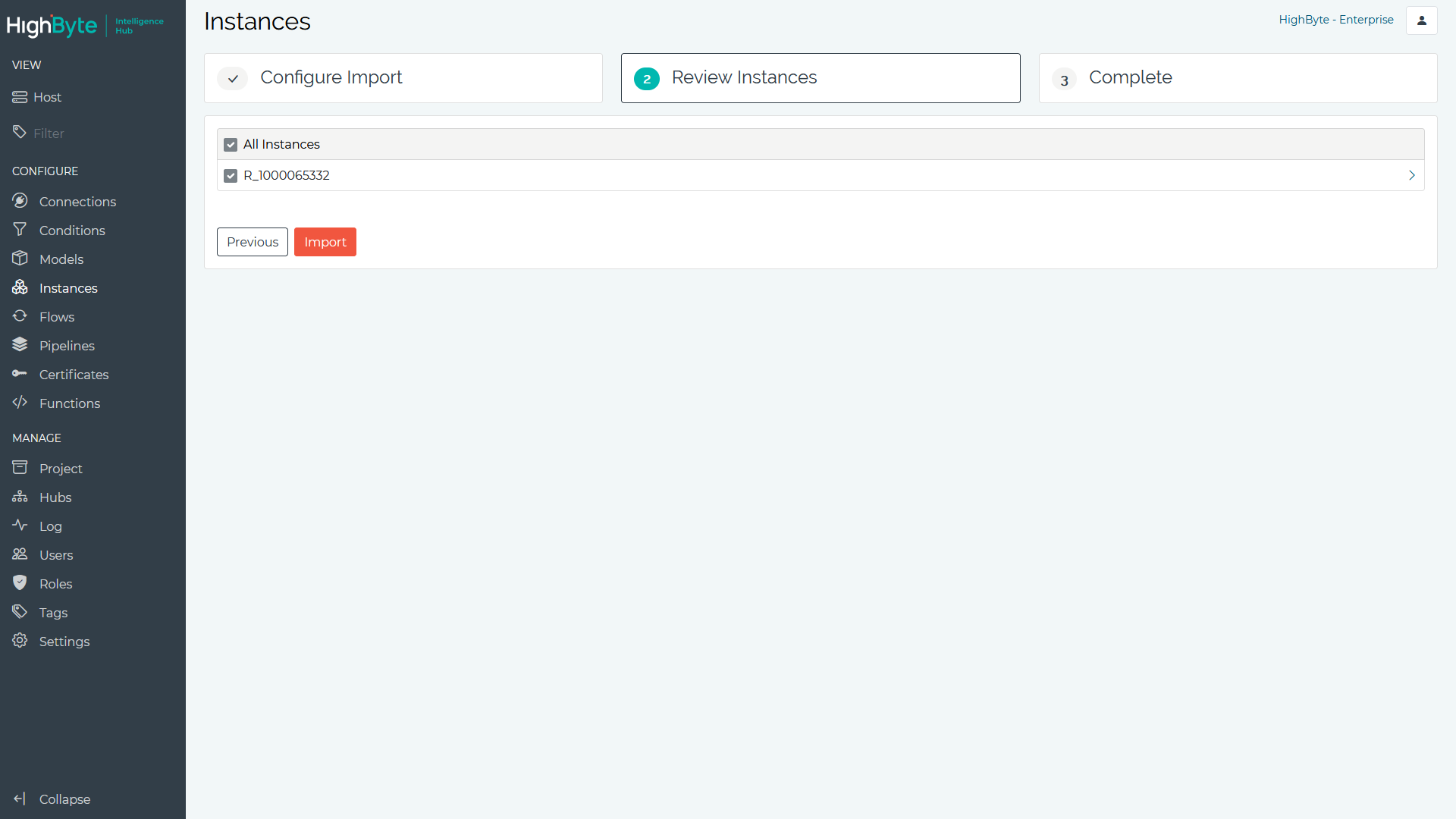
- After reviewing the converted instances, click Import to import the instances into the product.